World Builder
What administrators can do with World Builder
Item Settings
Selecting “Items” from the sidebar lets you upload and manage item images. Images uploaded here can be used as the NFT image itself, or as items that can be equipped on an NFT.
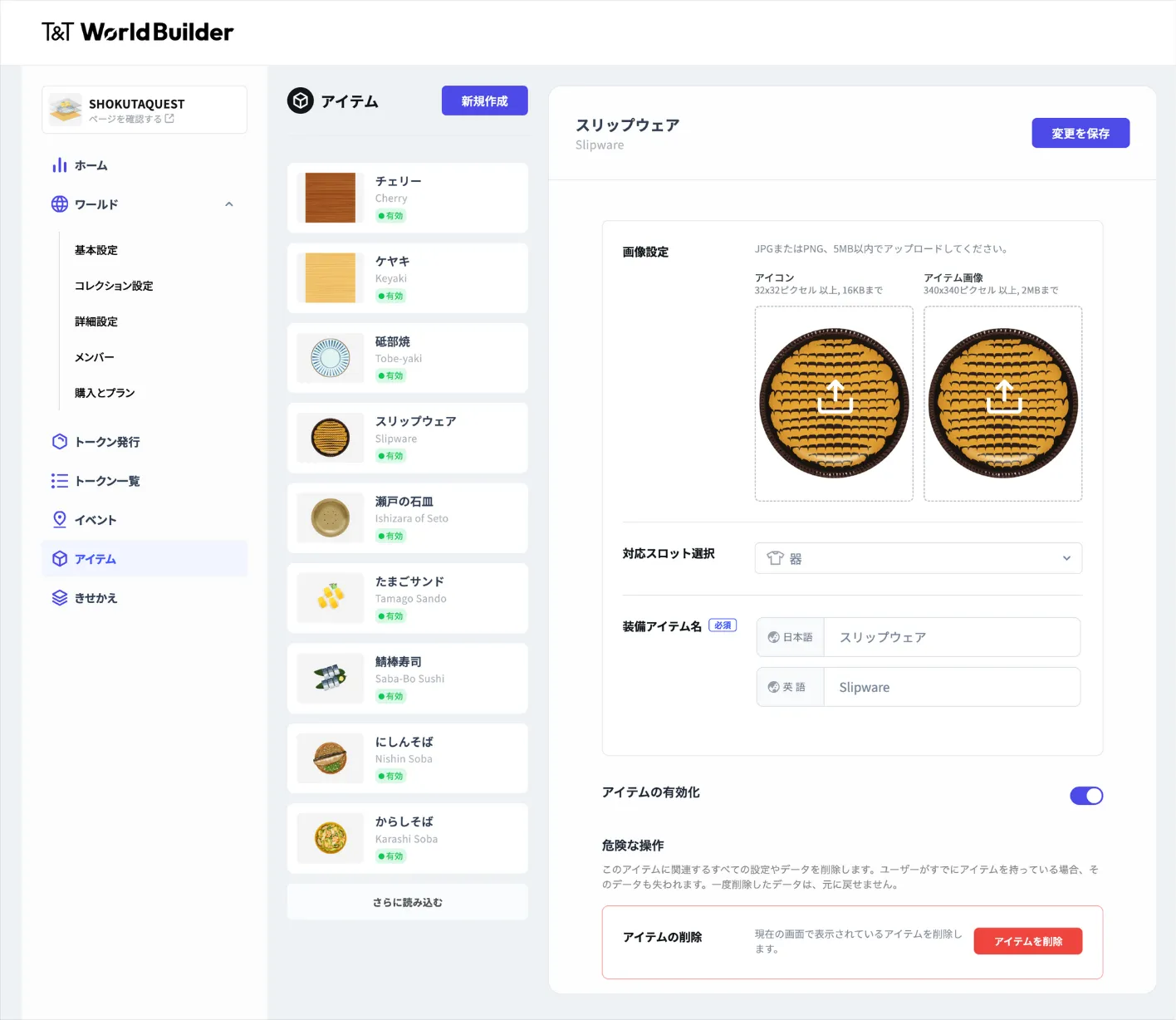
Item management screen
Event Settings
Selecting “Events” from the sidebar lets you create and manage events that users can check in to. Event settings include restrictions on the check-in “limit” and “interval,” as well as the items users receive by checking in. By combining these, you can bring gamification to your world.
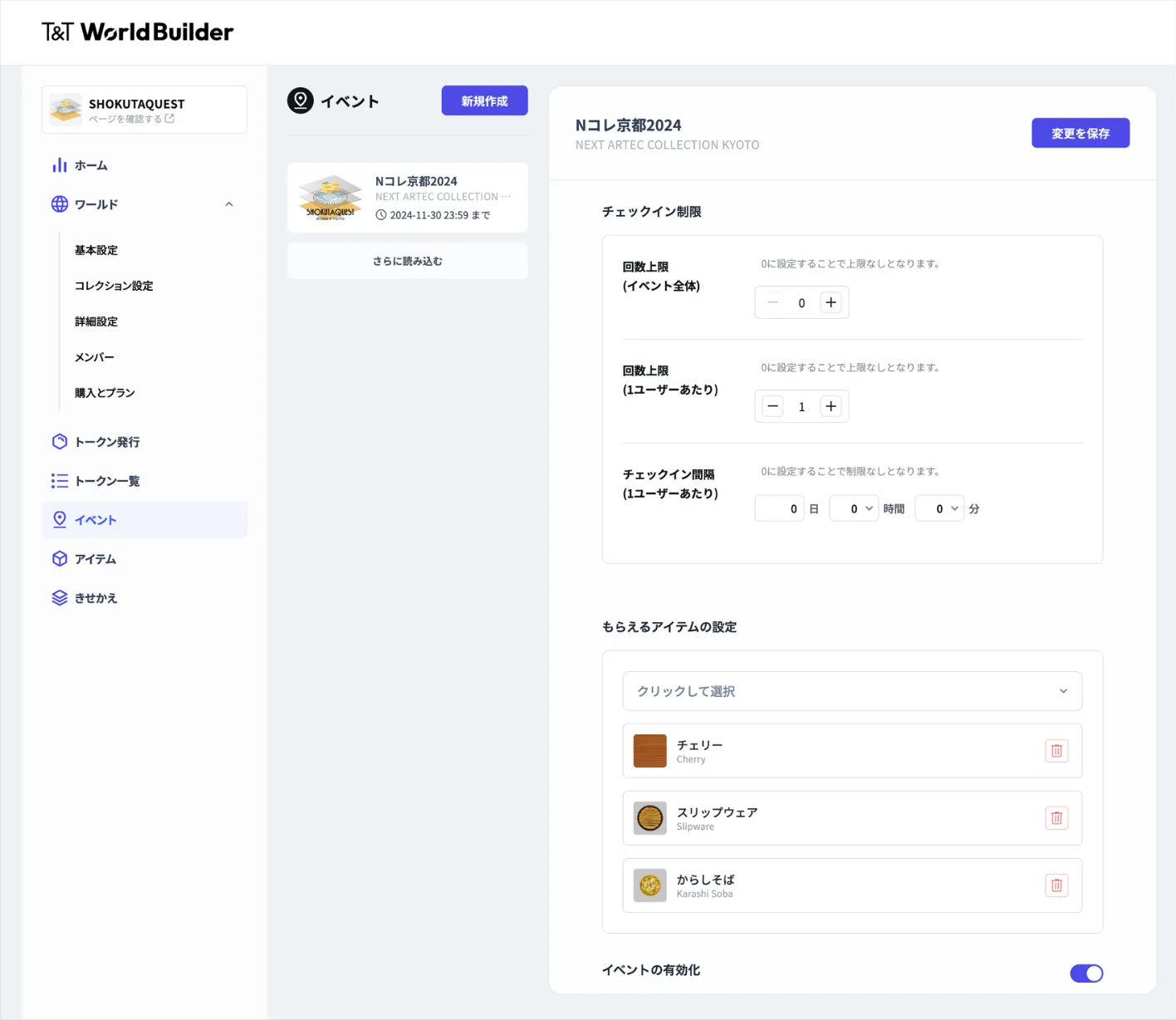
Event settings
Dress-up Settings
Selecting “Dress-up” from the sidebar lets you configure how multiple images set up in “Items” are layered. In World Builder, this feature is called “slots.”
For each slot, you can set the items held from the start and the items equipped from the start. This lets you decide what a newly obtained NFT looks like and what state it is in.
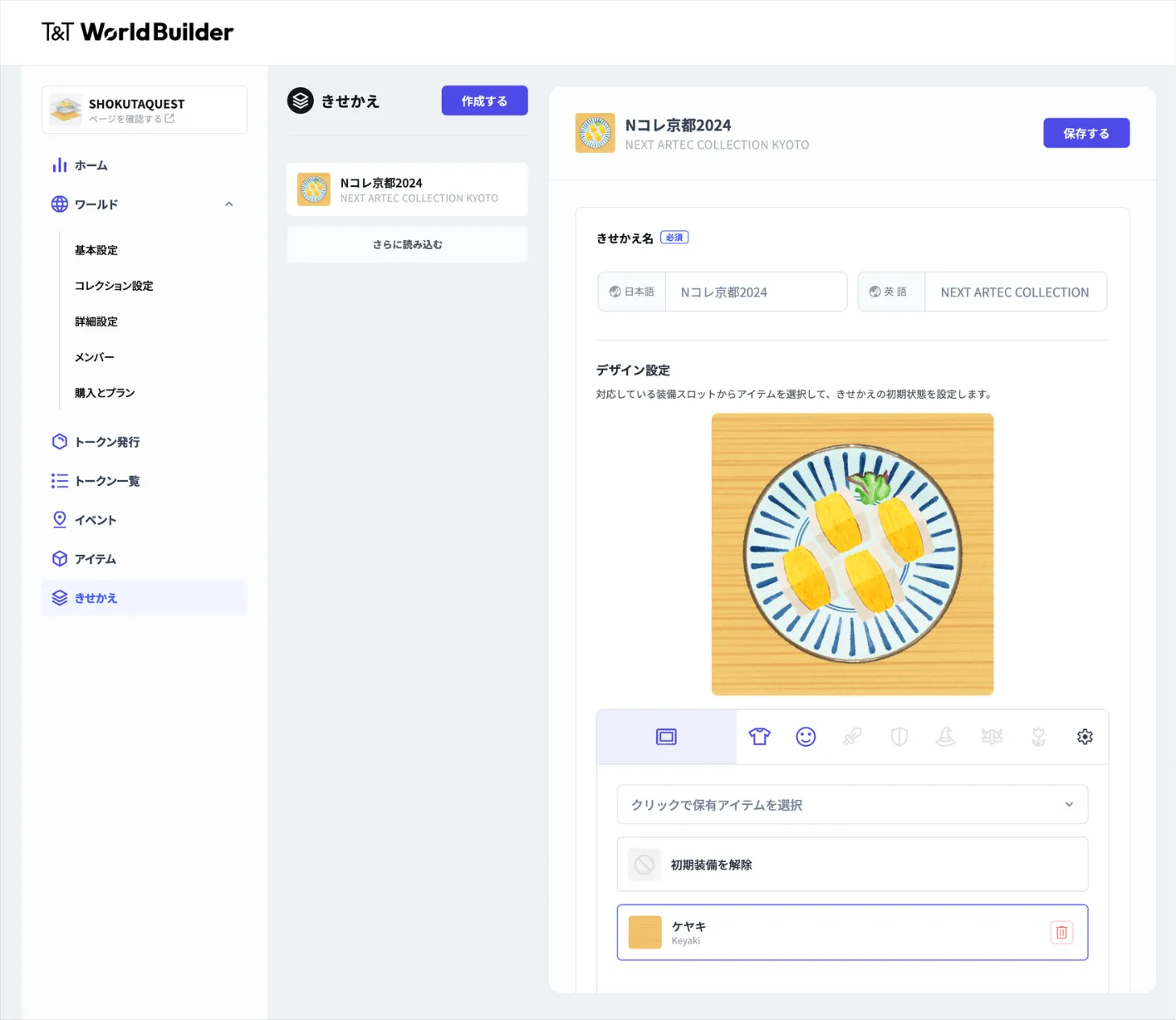
Dress-up settings
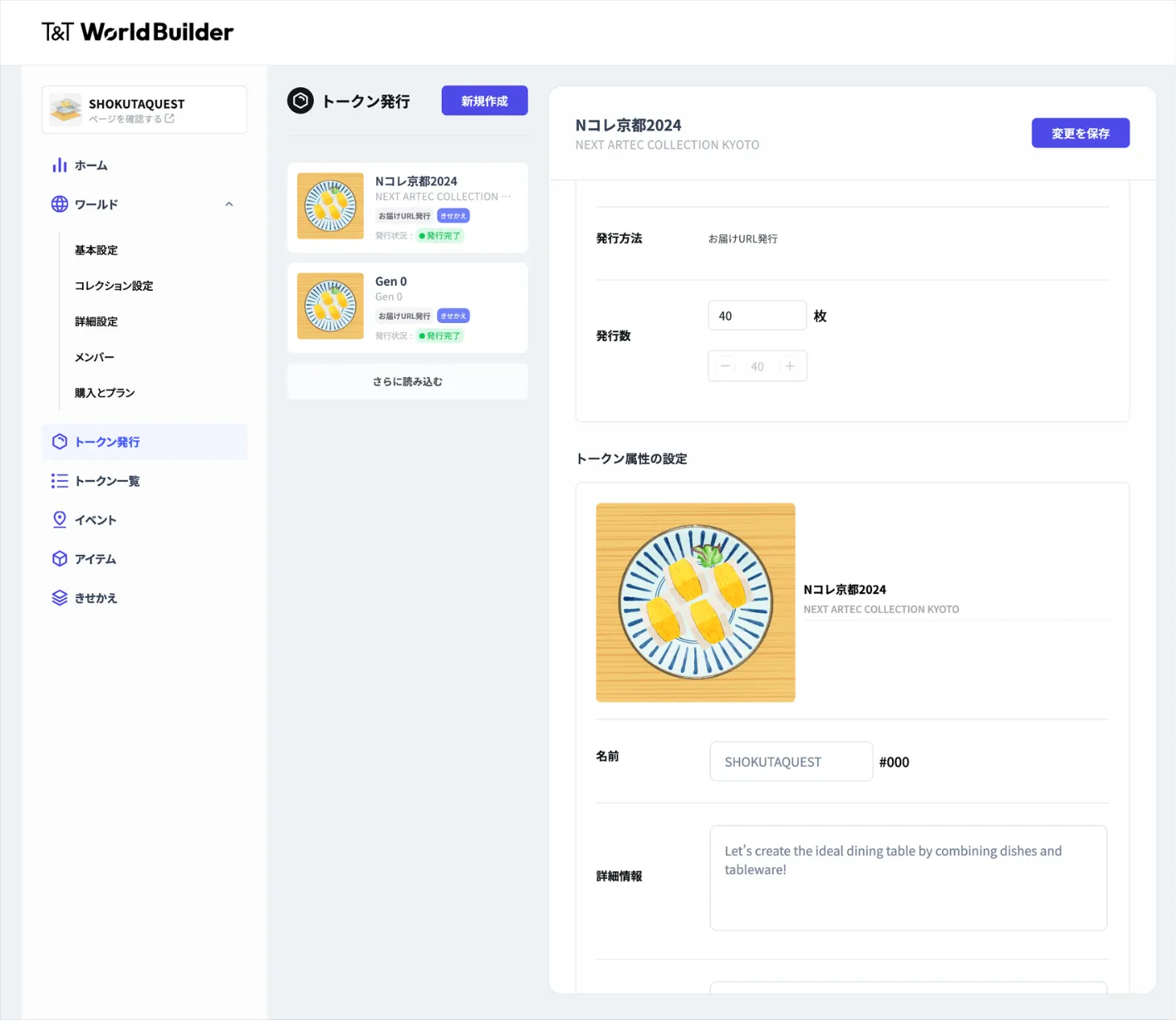
Token Issuance
Selecting “Token Issuance” from the sidebar lets you issue the NFTs configured in “Dress-up.”
World Builder can also issue simple NFTs consisting of just a single image. In this simple mode, the “Dress-up” settings are not used, and NFTs can be issued using only “Items” and this screen.
On the token issuance screen, you can set detailed information such as the supply, the token name, and various attributes. These become important information when the NFTs are actually listed on a marketplace.