Event
What users can do with the web app
Receiving NFTs
Users can easily receive NFTs through the web app provided by T&T. The web app can be used from common browsers such as Safari and Chrome.
Using the web app and receiving NFTs requires both logging in with a Google/Apple account and linking a wallet.
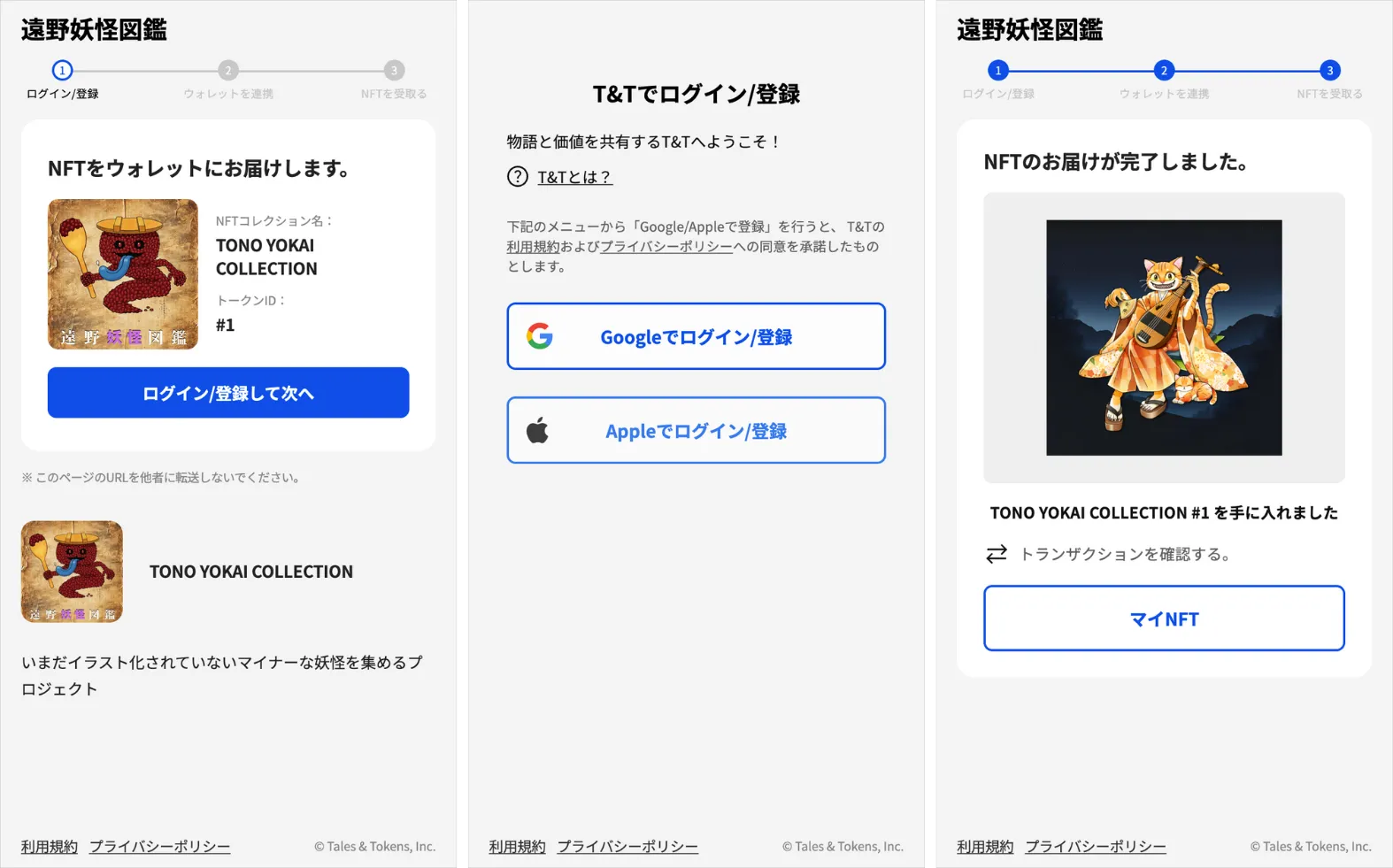
Receiving NFTs
Check-in
Users can check in from the web app to events set up by the world’s administrator.
A wallet or NFT can be made unnecessary as a check-in requirement (or, conversely, made mandatory). This makes it easy for many participants to join casually.
Items obtained by checking in are shown on the screen after the check-in is complete. Obtained items can be viewed later in the “Bag.”
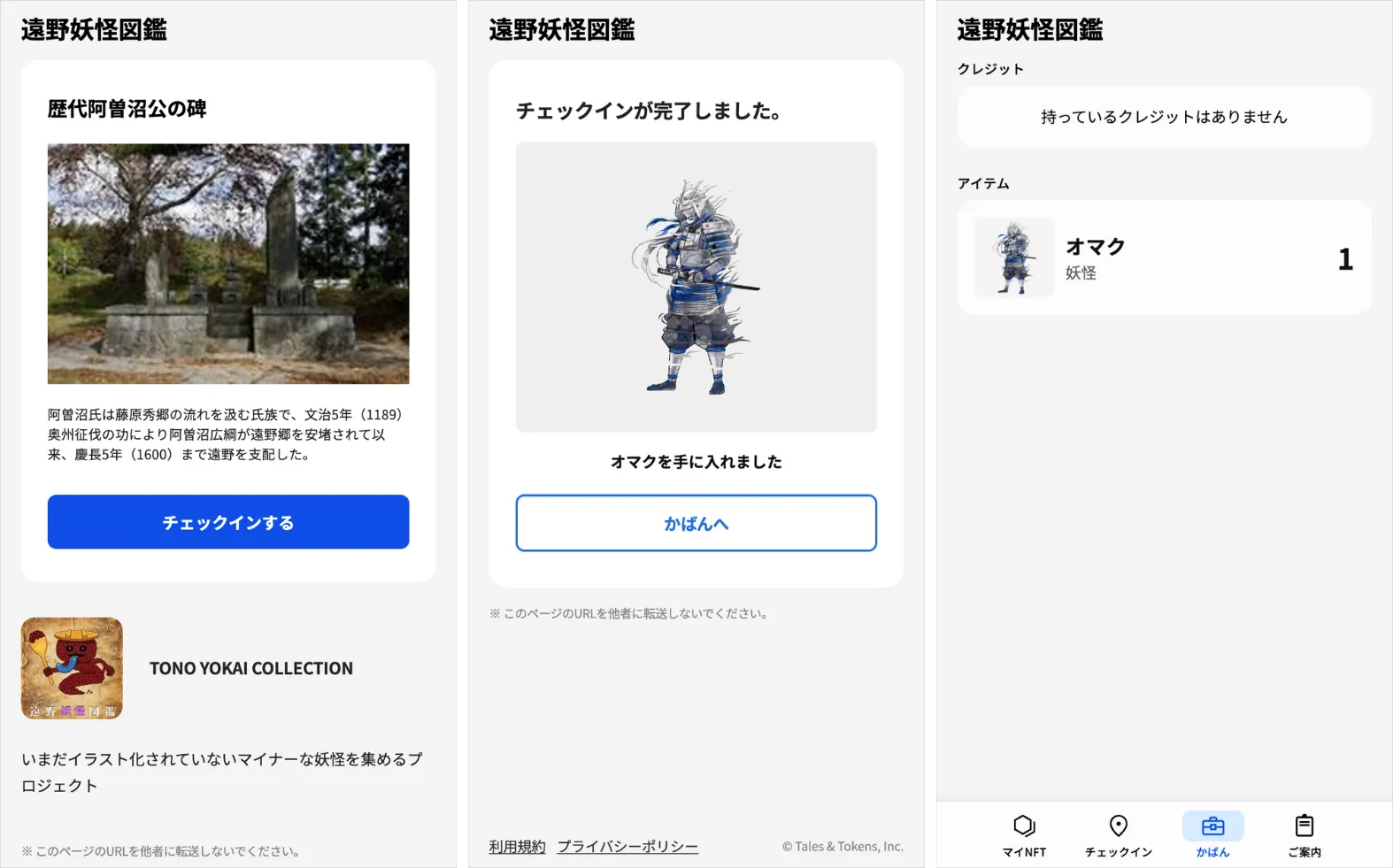
Check-in feature
Dress-up
From the “My NFT” screen, users can use the “dress-up” feature to change the design of their NFT. It is completed by choosing preferred items for each slot and layering them.
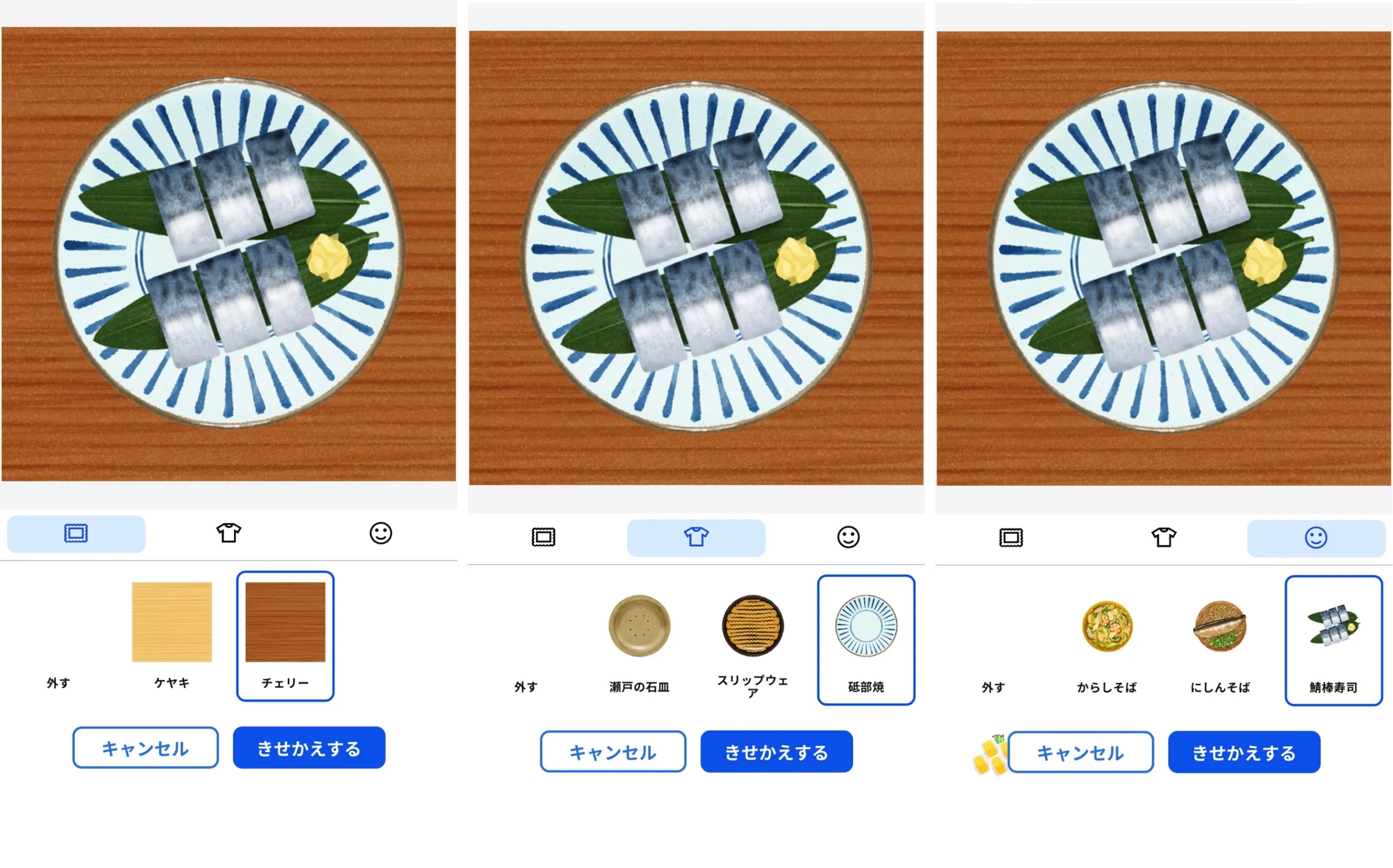
Dress-up feature
”My NFT,” “Check-in,” and “Info”
My NFT lists the NFTs you own. You can also run NFT “dress-up” from this screen.
Check-in lists the details and number of check-ins you have made in the past.
Info lets you view basic information about the world.
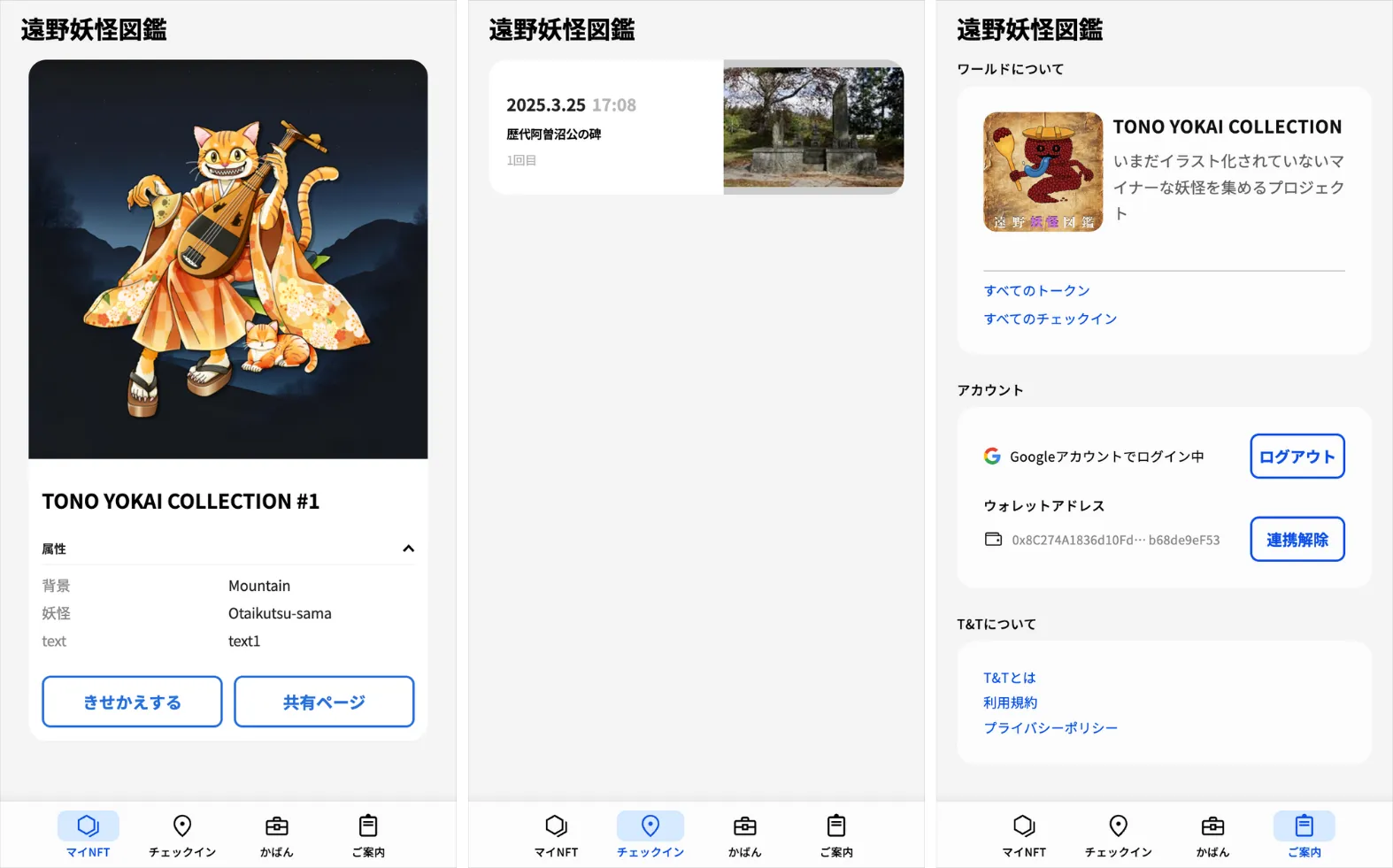
Screens of the web app